 Kosken
Product
Your fleet, one machine at a time
Fleet management starts on the Machines page. You choose the mode of each machine, and a new machine is in audit: Kosken reads and reports, and changes nothing.
Free for up to 5 machines. Every machine starts in audit mode: Kosken reads and reports, and changes nothing.
One page for the fleet
Each card shows the state, the mode, and the last time the machine reported. The page updates by itself when a machine changes.
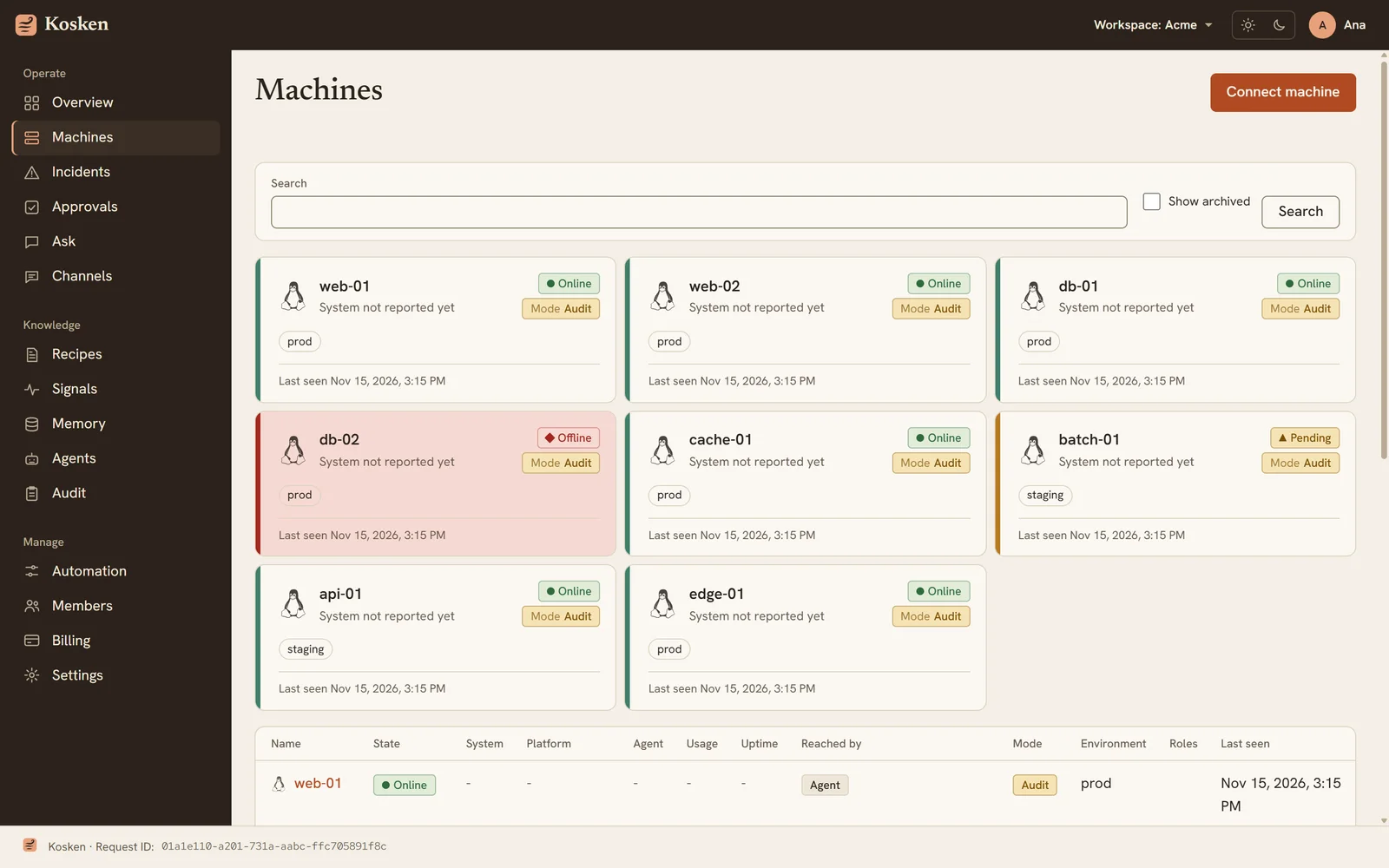
Start by watching
You choose the mode for each machine.
| Mode | Kosken reads | Kosken proposes | Kosken runs |
|---|---|---|---|
| audit | Yes | No. It lists candidates. | Nothing |
| shadow | Yes | Yes, with a dry run | Dry runs only |
| live | Yes | Yes | Approved recipes, under your approval rules |
The effective mode can only go down: a limit at workspace level lowers a machine, and nothing raises it.
Under the hood
- Two processes on each machine
The agent talks to the server and never runs commands. The executor runs signed recipes and cannot reach the network.
- Workloads
Containers, Proxmox virtual machines and LXC containers, and Kubernetes pods, with one tab for each machine.
- Tenant isolation
Row-level security separates workspaces in the database. Each workspace has its own sealed keys, derived with HKDF.
- An audit log that shows tampering
Each entry includes the hash of the one before it. A signed anchor is written each day. If someone edits an old entry, the chain no longer verifies.
More of Kosken
- Incident responseFrom a failed signal to a root cause report and a checked fix.
- MonitoringMonitors for services, ports, URLs, containers, disks and logs.
- Recipes and approvalsSigned fixes, five gates in code, and a person who decides.
- Tasks and maintenanceScheduled checks, planned changes, and the jobs of each machine.
- Ask KoskenAsk about your fleet in plain words, with your own models.