 Kosken
Product
Tasks, maintenance, and the jobs of each machine
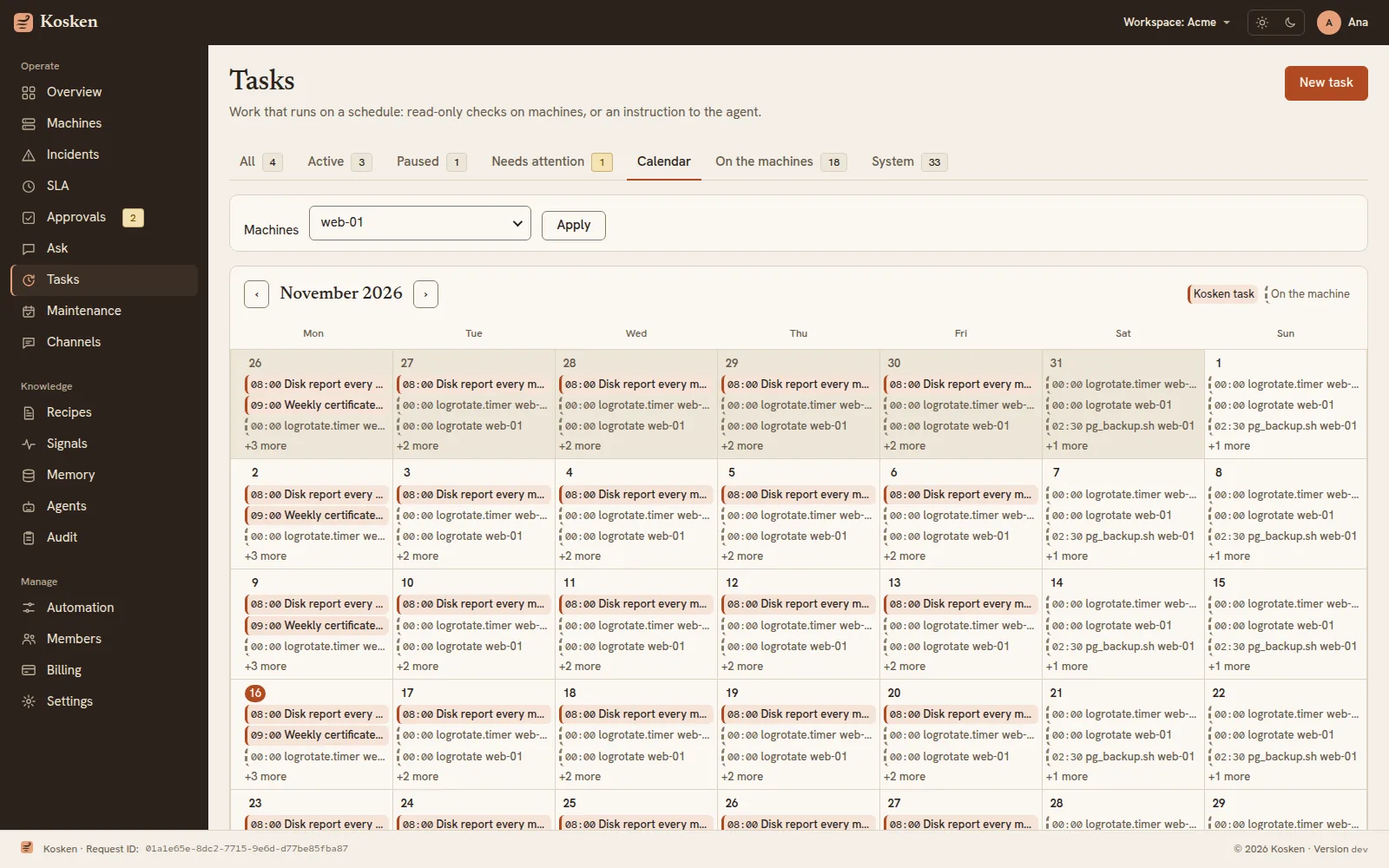
Tasks run work at a set time without a person at the keyboard. A maintenance plans one change in a time window. A month calendar shows both, with the systemd timers and cron jobs that each machine runs by itself.
Free for up to 5 machines. Every machine starts in audit mode: Kosken reads and reports, and changes nothing.
Tasks
A task runs a read-only recipe on a set of machines, or sends an instruction to the chat agent.
- Schedules
A cron expression, every N minutes, or once, in the time zone that you choose.
- Control
Pause a task, resume it, or run it now. Each run keeps its state, its output and its duration.
- Needs attention
A task that fails several times in a row shows as needs attention.
- No new path to change a machine
A task runs only read-only recipes. A change that the agent asks for opens an incident that goes through the gates and a person.
The jobs of the machines
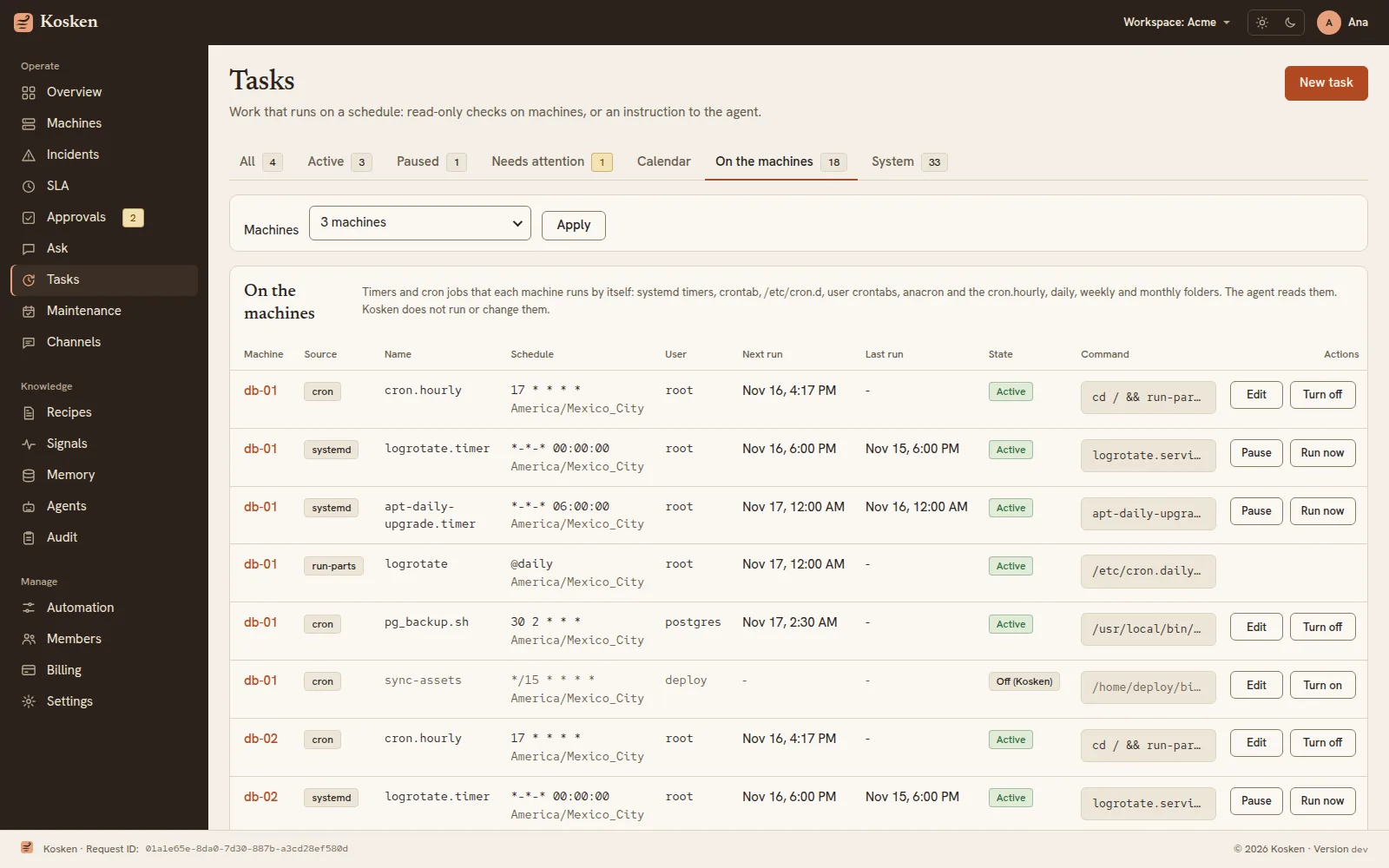
The agent reads the systemd timers, the system crontab, /etc/cron.d, the user crontabs, anacron and the cron.hourly, daily, weekly and monthly folders. A source that is missing is skipped.
- One list for the fleet
The Tasks page lists the jobs of the machines that you select, with the schedule, the user, the next run and the last run.
- Change a job from the list
Pause, resume or run a timer now. Edit, turn off or turn on a cron line. Each action is a signed recipe and goes through the gates.
- A safe cron edit
A cron edit is high risk: another person with write access approves it. The executor finds the line by its number and the hash of its text, keeps a backup of the file, and refuses the change if the line changed after Kosken read it.
Maintenance
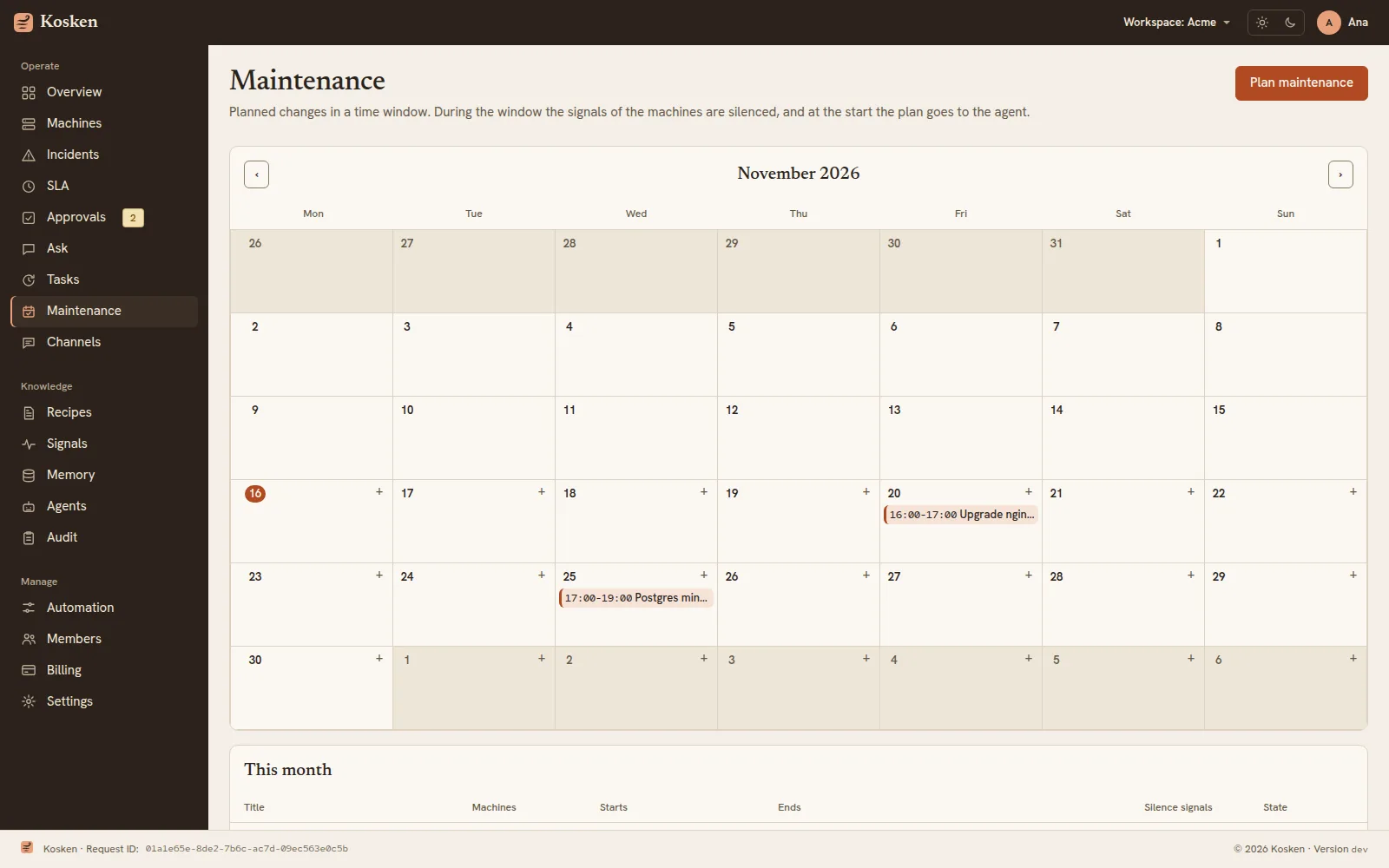
A maintenance is one planned change, for example "install nginx on web-1 on 20 November at 22:00".
- Silence during the window
During the window, the signals of its machines are silenced, so a planned restart does not open incidents.
- The plan goes to the agent
At the start, Kosken sends the plan to the chat agent. A change still needs the approval of a person.
- A calendar of the month
Each window shows on the days of its own time zone.
More of Kosken
- Incident responseFrom a failed signal to a root cause report and a checked fix.
- MonitoringMonitors for services, ports, URLs, containers, disks and logs.
- Recipes and approvalsSigned fixes, five gates in code, and a person who decides.
- Fleet and modesMachines, workloads, and the audit, shadow and live modes.
- Ask KoskenAsk about your fleet in plain words, with your own models.