 Kosken
vLLM that tunes itself with one button
AI Ops shows the GPUs of your machines and the vLLM endpoints that run on them. Kosken deploys a model, measures the endpoint with the workloads of the industry, and tunes it for a goal: it applies changes, tests each one with a benchmark, and you keep or undo the result.
GPUs and endpoints
AI Ops shows in the sidebar when the agent finds a GPU on a machine: bare metal, a virtual machine with the GPU passed through, or a container with GPU access.
- The GPU tab of a machine
The driver and the CUDA version, the use, VRAM, power and temperature of each GPU, charts, the processes on each GPU, and the number formats that each GPU runs.
- GPU monitors
Five monitors for every machine with a GPU: too hot, slows down, Xid errors, ECC memory errors, and a GPU that stops answering.
- Deploy a model
Pick a model from the vLLM recipes catalog or a Hugging Face id. Kosken checks that it fits in the GPU memory, pulls a pinned vLLM image and starts the server. The API key and the Hugging Face token are sealed.
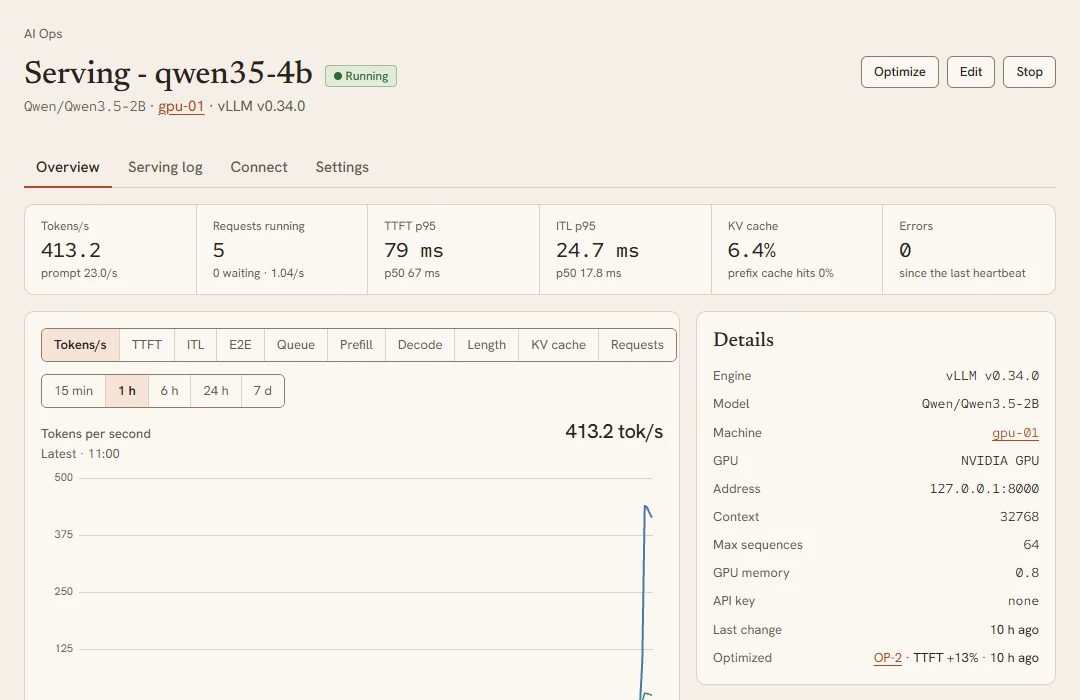
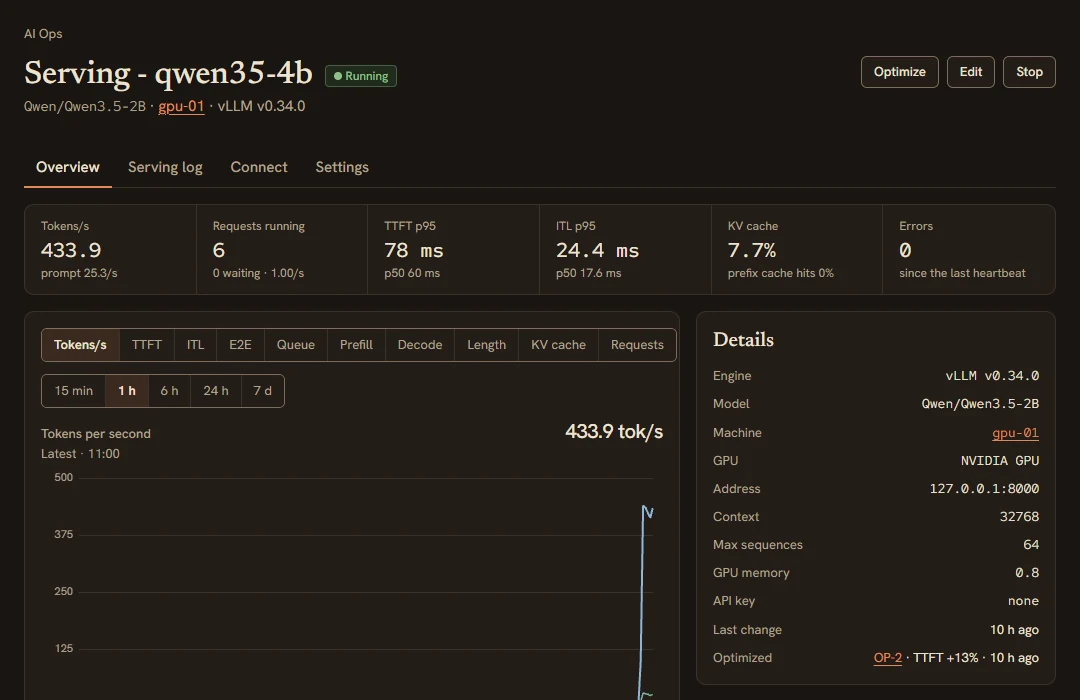
- The page of an endpoint
Tokens per second, requests, TTFT, ITL, KV cache and errors, with charts. The Serving log shows the whole log of the container.
Benchmarks
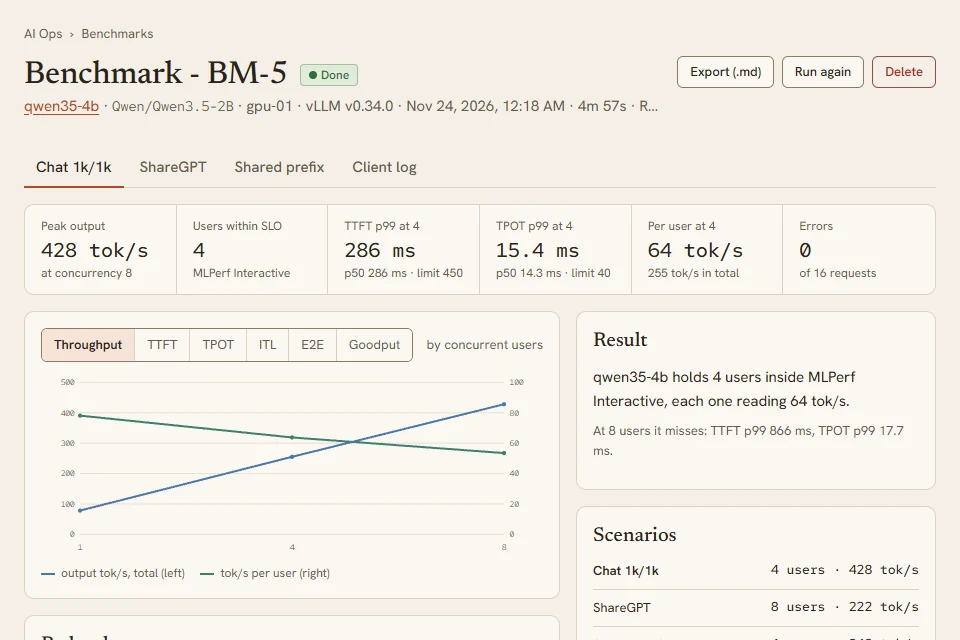
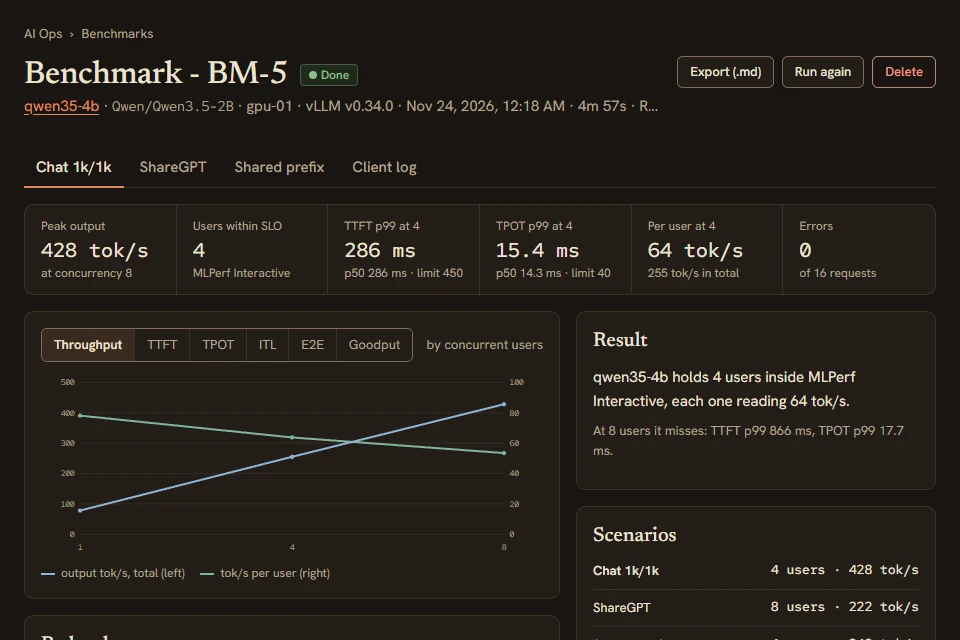
Kosken runs vllm bench serve on the machine of the endpoint and reports how many users it holds within a service level.
- Five workloads
Chat 1k/1k, Reasoning 1k/8k, RAG 8k/1k, ShareGPT and a shared prefix, at the levels of concurrent users that you pick.
- Service levels
MLPerf Interactive, MLPerf Server, or your own limits of TTFT p99 and TPOT p99.
- Compare runs
Two runs side by side, level by level, with the flags that changed between them. Export a run as Markdown.
Optimize: one button
Optimize knows each of the 327 settings of vLLM v0.34.0. Pick a goal, and Kosken tunes the endpoint by itself.
- Three goals
Balanced: the most users within the service level. Throughput: the most requests per second at full load. TTFT: the fastest first token for each user.
- Rules and Kosken AI
Rules read the model, the GPU and the measures. Kosken AI reads the same facts and adds proposals. Kosken checks each proposal before it can run, so a value that vLLM rejects never reaches the endpoint.
- Rounds
Each round restarts the endpoint with the changes and runs the same benchmark. With auto-tune, Kosken AI reads the results and proposes the next round, up to 3 rounds. The run stops when a round gains less than 3%.
- Keep or undo
The best round stays on the endpoint. Keep leaves it there. Undo and Cancel restart the endpoint with the settings from before the run.
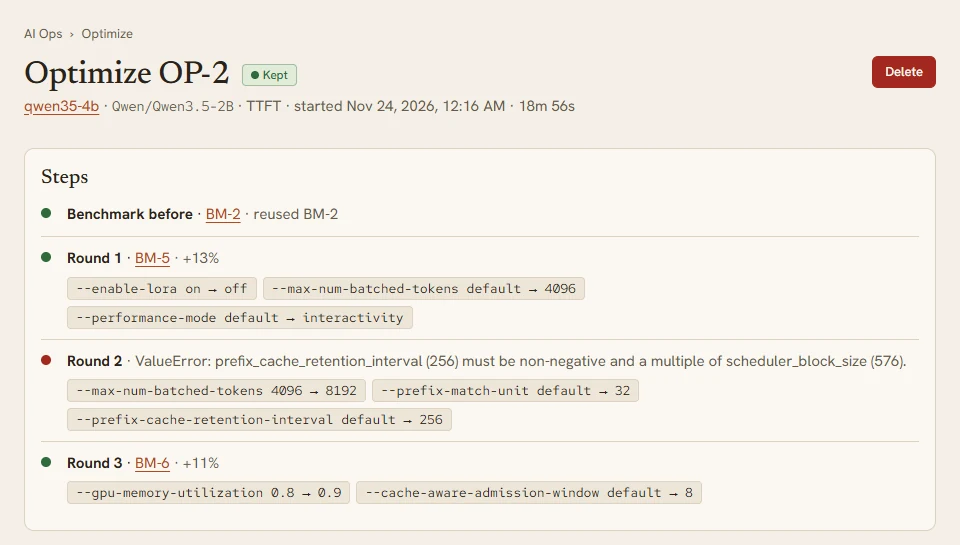
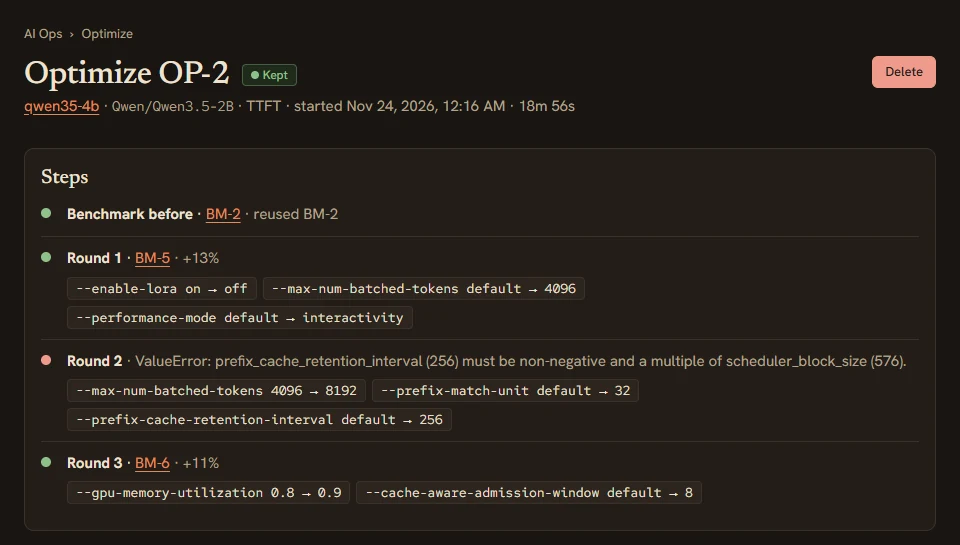
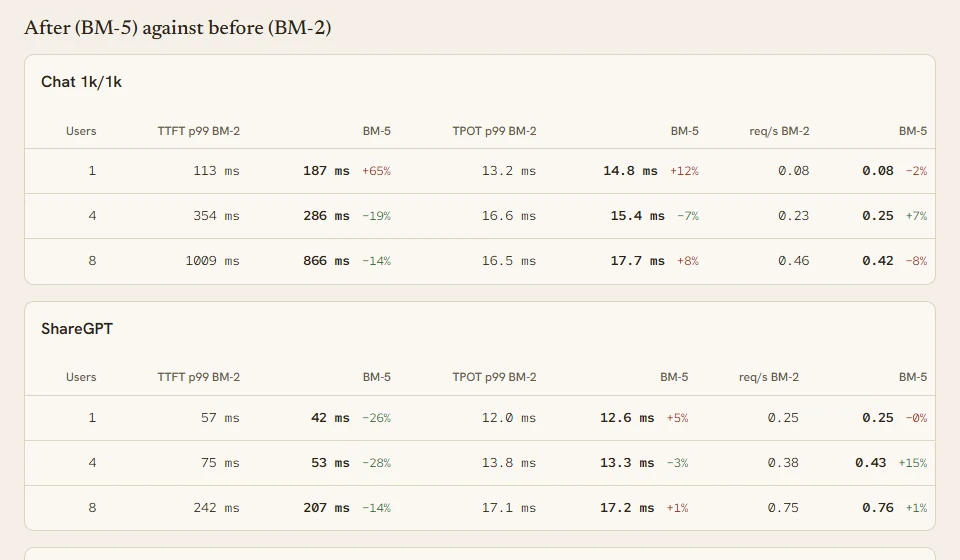
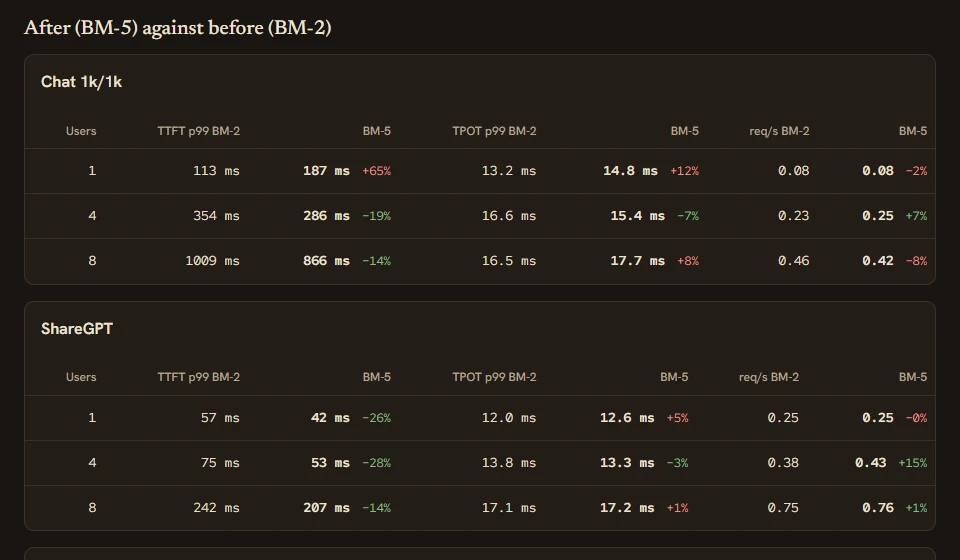
The guides of AI Ops, Benchmarks and Optimize show each step.
Start with one machine
Create a free workspace.
Run one command on the machine. The Connect machine page shows it with your key. It installs the agent and the executor:
curl -fsSL https://<workspace>.kosken.ai/enroll/<key> | sudo shThe machine joins in audit mode. Kosken reads and reports, and changes nothing. Move it to shadow or live when you trust what you saw.
Free for up to 5 machines. A paid plan adds machines in blocks of 5.
More of Kosken
- Incident responseFrom a failed signal to a root cause report and a checked fix.
- MonitoringMonitors for services, ports, URLs, containers, disks and logs.
- Recipes and approvalsSigned fixes, five gates, and a person who decides.
- Tasks and maintenanceScheduled checks, planned changes, and the jobs of each machine.
- BackupsEncrypted backups of databases and files to storage that you own.
- Fleet and modesMachines, workloads, and the audit, shadow and live modes.
- Ask KoskenAsk about your fleet in plain words, with your own models.
- ChannelsNotices and decisions in Slack, Teams, Discord, WhatsApp and email.