 Kosken
Optimize a vLLM endpoint
Press one button and Kosken tunes a vLLM endpoint for a goal: it applies the changes, benchmarks them, and you keep or undo the result.
On this page
This guide shows how Optimize tunes a vLLM endpoint by itself: what it measures, what it may change, what restarts, and how to keep or undo the result.
What Optimize does
Optimize knows every setting of the vLLM version of the endpoint: 327 settings for vLLM v0.34.0, with their default, their type and what each one does. When you press Optimize, Kosken:
- Measures the endpoint as it is now with a benchmark, or reuses the last benchmark of the endpoint with the same workload.
- Proposes changes for your goal: rules that Kosken checks against the model, the GPU and the measures, and the proposals of Kosken AI.
- Restarts the endpoint with the changes you ticked, and runs the same benchmark again.
- With auto-tune on, asks Kosken AI for the next changes from the results, up to 3 rounds.
- Puts the best round on the endpoint and waits for you to choose Keep or Undo.
Optimize needs a vLLM endpoint that runs, a vLLM version that Kosken knows, and write access. Each change is proved by a benchmark before you keep it.
Start a run
- Open the endpoint in AI Ops and select Optimize.
- Choose a goal.
- Check the Workload: the scenarios, the levels of concurrent users and the service level. Kosken fills them from the last benchmark of the endpoint. Select Update after a change, so the proposal uses the new workload.
- Read the proposal. Tick or clear each row.
- Choose whether to use Auto-tune: up to 3 rounds.
- Select Apply and benchmark.
The run opens on its own page. You can close the page: the run goes on, and the Optimize tab of AI Ops lists every run.
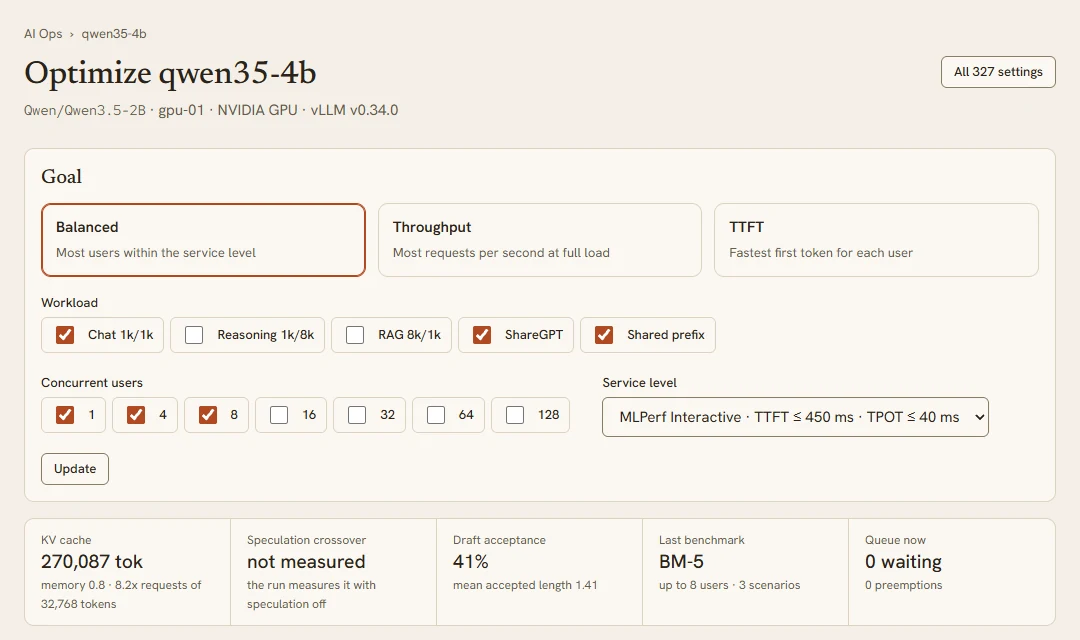
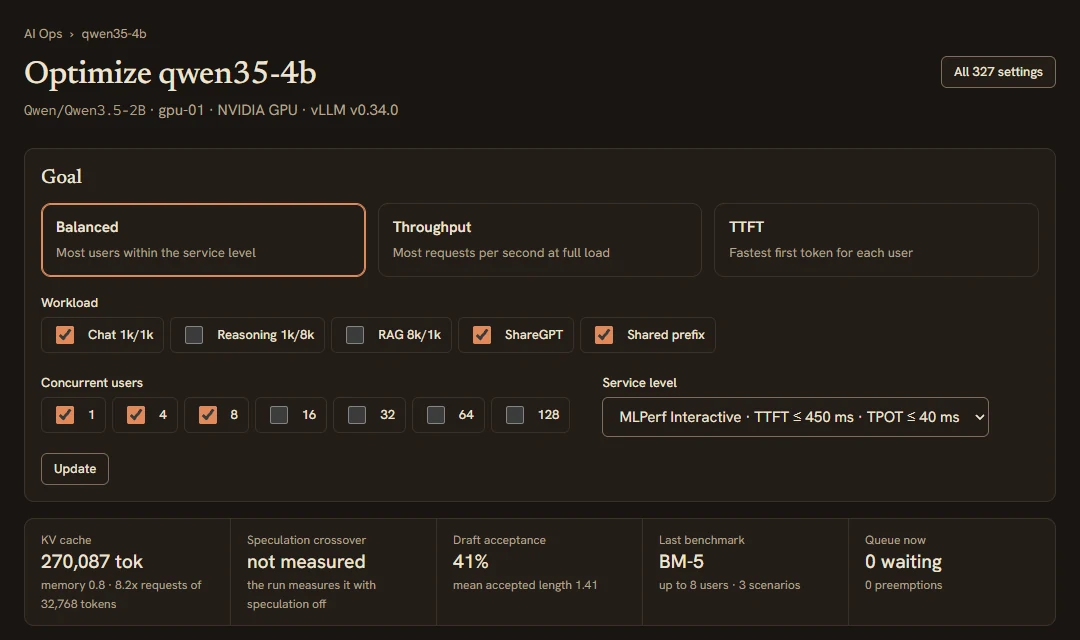
The three goals
| Goal | What gets better | How Kosken scores a round |
|---|---|---|
| Balanced | The most users within the service level. | Requests per second at the best level that holds the service level, the mean of the scenarios. |
| Throughput | The most requests per second at full load. | Requests per second at the best level, the mean of the scenarios. |
| TTFT | The fastest first token for each user. | 1000 divided by the mean TTFT p99 of all levels. A lower TTFT gives a higher score. |
The table The three goals for this endpoint shows what each goal would set for --max-num-seqs, --max-num-batched-tokens and speculative decoding, from the measures of this endpoint.
The facts above the proposal
The strip above the proposal shows what the rules read:
- KV cache: the tokens that fit in the cache, and how many requests of the full context fit at the same time. vLLM tells this at start.
- Speculation crossover: the number of users from which speculative decoding makes the endpoint slower. Below it, speculation helps.
- Draft acceptance: the share of the draft tokens that the model accepts.
- Last benchmark, Queue now and Prefix cache hits.
Read the proposal
Each row is one setting: its value now, the proposed value, where the proposal comes from (Rule or Kosken AI) and why. The rows of Kosken AI load after the rules. If Kosken AI does not answer, the rules still apply.
Kosken checks every proposal, from a rule or from Kosken AI, before it can run. A row that fails a check shows Not applied: and the reason, and you cannot tick it. Some checks:
--max-num-batched-tokensis at least--max-num-seqs. With chunked prefill off, it is at least the context length.- On a hybrid model (attention and Mamba layers),
--max-num-seqsfits the pool of state blocks. - An FP8 KV cache needs compute capability 8.0 or higher, and an attention backend that supports it on that GPU.
--prefix-cache-retention-intervalis a multiple of the block size of the server.- MTP speculation needs a model with MTP layers.
- LoRA does not turn off while the endpoint has LoRA adapters.
- For the TTFT goal,
--max-num-seqsdoes not go below the users of the workload. Fewer slots only put users in the queue, and the time in the queue counts in TTFT.
Rows that change what clients can do, such as LoRA or prompt embeddings, are off by default. Tick them only if no client uses the feature.
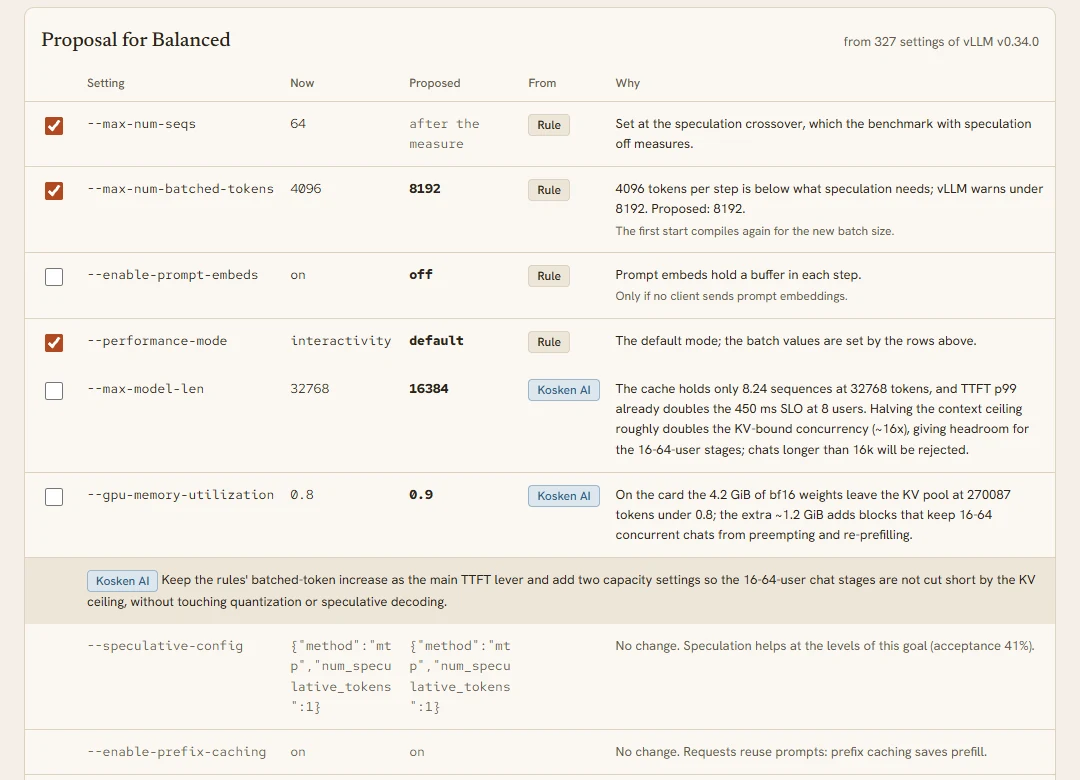
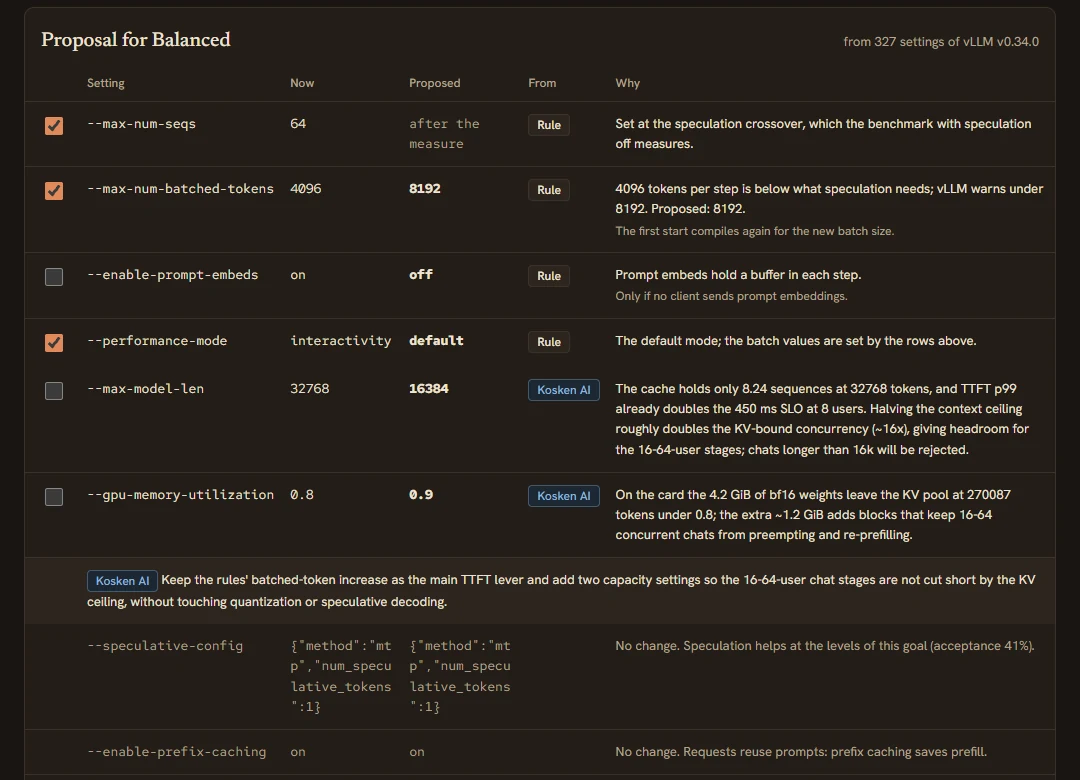
Measure the speculation crossover
When the endpoint uses speculative decoding and a ticked change needs the crossover, the run first restarts the endpoint with speculation off and runs the benchmark once. The rules for --max-num-seqs and speculation then use a measure, not a guess. Kosken does this step only when a ticked change needs it, and does it once for each endpoint.
Rounds and auto-tune
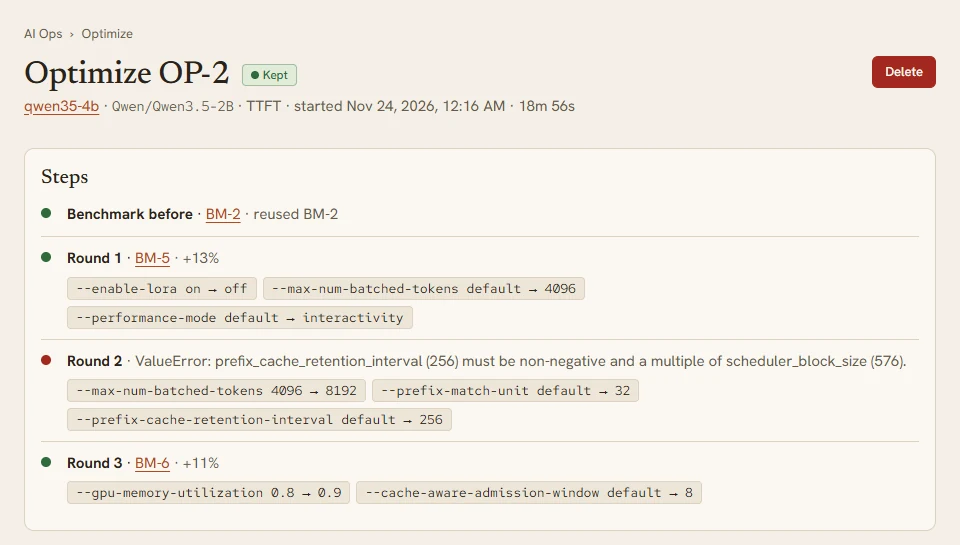
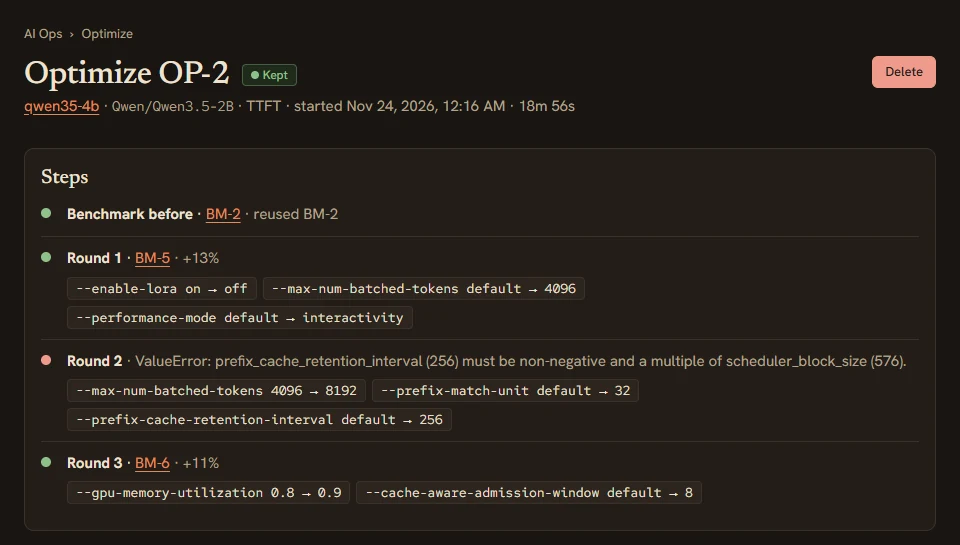
A round is one restart with a set of changes, then the benchmark. With Auto-tune: up to 3 rounds, after each round Kosken AI reads the results, the history of the rounds and the settings of vLLM, and proposes the next changes. Every proposal passes the same checks. An automatic round never changes what clients can do.
The run stops when:
- 3 rounds have run.
- A round gains less than 3% over the best score so far.
- Nothing new is left to try.
- Kosken AI does not answer.
When vLLM refuses a round at start, the round fails and shows the error of vLLM. The run goes on from the best round so far.
What restarts
The endpoint restarts at each round, and once more at the end to put back the best round. Requests in flight fail, and new requests wait until the model loads again. Run Optimize when a short pause is acceptable.
The run page shows the steps: the benchmark before, the measure with speculation off, each round, and the steps still to come. A step that runs shows the progress of its benchmark, or the log of the restart.
While a run is open, the settings of the endpoint are the settings of the current step. Edit shows a warning, and Redeploy waits until the run ends.
Keep, Undo or Cancel
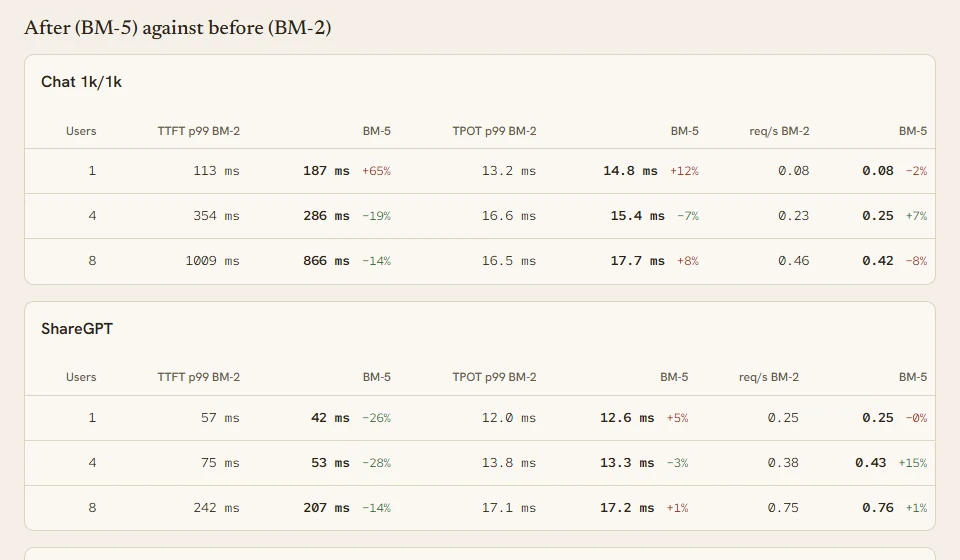
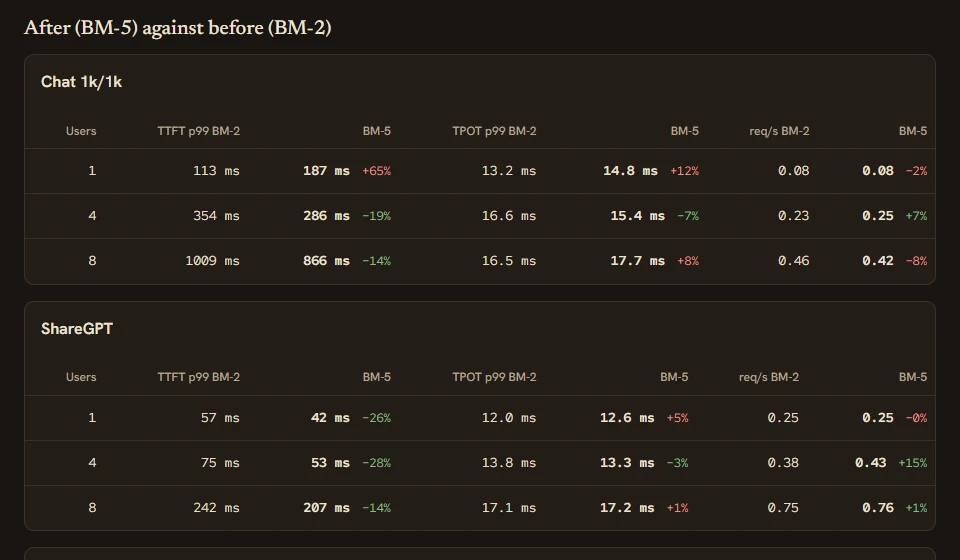
When the run ends, the page compares the benchmark before with the best round, level by level. For the TTFT goal, it shows TTFT p99, TPOT p99 and requests per second. Green is better, red is worse, and a value over the service level shows in red.
- Keep leaves the best round on the endpoint. It does not restart anything.
- Undo restarts the endpoint with the settings from before the run.
- Cancel, while the run goes on, stops it and restarts the endpoint with the settings from before the run.
Kosken saves the settings from before when the run starts, so Undo and Cancel always restore them. The endpoint page shows the last kept run in Details, as Optimized, with its goal, its gain and a link to the run.
Look at every level before you keep a round. A score is a mean: a round can gain in total and be slower at one level. With few requests at a level, the p99 is almost the slowest request, so a difference of 10 or 20% can be noise.
Optimize an SGLang endpoint
Optimize runs on SGLang endpoints the same way: the same goals, rounds, benchmarks, Keep and Undo. The rules are those of SGLang v0.5.23, from its source:
- Requests at once (
--max-running-requests): Balanced caps it where the rate stops growing. With no cap, SGLang runs as many requests as its KV pool holds and retracts some when it is full. - Chunk size (
--chunked-prefill-size): Throughput doubles it, TTFT fits one prompt of the workload in one step. SGLang picks it from the memory of the GPU; a GPU under 20 GB keeps 2048. - CUDA graphs (
--cuda-graph-max-bs-decode): when more requests decode at once than the graphs cover, the batches above run without a graph. The rule raises the limit to the concurrency that runs. When the graphs of decode are off, the rule turns them on. - Scheduling (
--schedule-policy lpm): for requests that share prefixes, it runs first the ones that match the cache. - FP8 KV cache (
--kv-cache-dtype fp8_e4m3): proposed, never ticked, when the pool is full or requests are retracted.
Optimize never sets --mem-fraction-static on SGLang: its default follows the chunk size and the graphs, and a fixed value can run out of memory when they grow.
All the settings of the server
Select All settings of the server on the endpoint, or All 327 settings on the Optimize page, to see every setting of the vLLM or SGLang version with its group, default, value on this endpoint and what it does. Filter by name, show Only set settings, or Only those Optimize can change.
Something here does not match the app? Tell us