 Kosken
The audit log
What the audit log of a workspace records, how to filter and export it, and how the hash chain and the daily signed anchor let you check it.
On this page
After you read this guide, you can find an action in the audit log of your workspace, export the log, and check that nobody changed it.
Find an action
Every member can read and export the audit log.
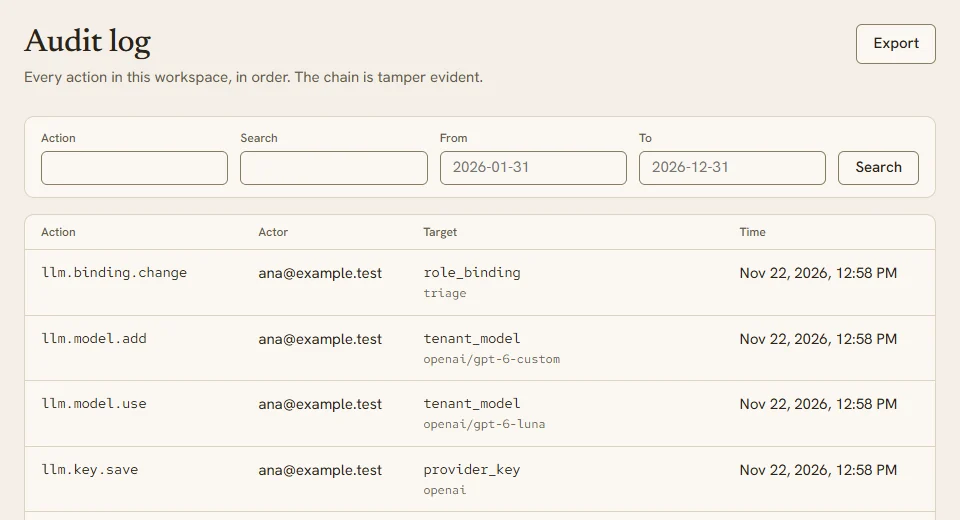
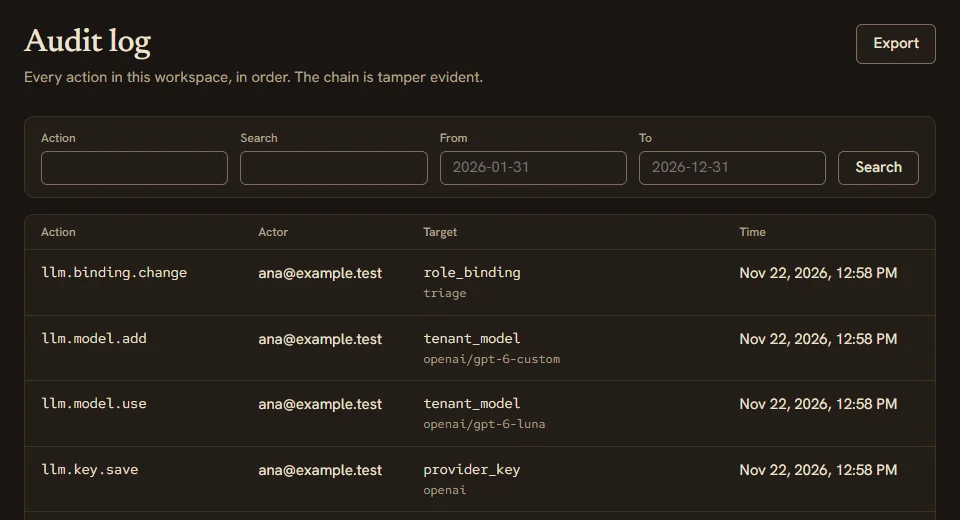
- In the sidebar, under Knowledge, select Audit. The Audit log page opens with the newest entries first.
- Optional: in Action, type the start of an action name, for example
tenancy.member. - Optional: in Search, type a word of the action, the actor, the target or the reason, for example
[email protected]. - Optional: in From and To, type dates as
YYYY-MM-DD, for example2026-11-01. The To date is included. - Select Search.
The page shows 50 entries. To see more, select Next. When no entry matches, the page says No entry matches. Change the filters or the dates.
What the log records
The log keeps one entry for each action that changes the state of the workspace. Kosken writes the entry in the same database transaction as the change. A change without its entry does not happen.
Each row shows:
- Action
- The name of the action, as
module.noun.verb. Examples:tenancy.invitation.create,tenancy.member.access_change,tenancy.domain.verify,incidents.retention.change,engine.eval.run. - Actor
- Who did it: the email of a person at the time of the action, or the name of the part of Kosken that acted.
- Target
- The kind of object and its id.
- Time
- When the action happened.
An entry also keeps the fields that changed, before and after, the IP address, and the request ID. The export holds all of them. Kosken removes secrets before it stores an entry: passwords, tokens, keys and cookies never appear.
When a Kosken operator acts on your workspace, the entry goes in your log with the reason that the operator gave.
Export the log
- Optional: type the dates in From and To, and select Search.
- Select Export.
The browser saves audit.ndjson: one JSON object on each line. The export uses only the dates. It ignores Action and Search. Without dates, it holds the full log.
- The first line is a header: the chain id, the date range, the hash before the first entry (
start_prev_hash), the public key of the anchor, and the proof of the newest anchor. - Each next line is one entry, in order, with its
seq,prev_hashandhash.
Kosken keeps audit entries for 13 months. To keep them longer, export the log on a schedule and store the files yourself.
The hash chain and the daily anchor
Each audit entry includes the hash of the entry before it. A signed anchor is written each day. If someone edits an old entry, verification fails. This detects tampering. It does not prevent a person with full database access from deleting the whole log and its anchors. Anchors stored outside the database reduce that risk. The whitepaper explains this design.
- Your workspace has its own chain. Each entry has a number,
seq, that grows by one. - Once a day, Kosken reads the newest entry of every chain, builds a Merkle tree of them, and signs its root with an Ed25519 key. The key is not in the database.
- Kosken checks every chain each hour. A failed check alerts the operators of Kosken. It never repairs the chain.
Check an export yourself
You need only the exported file and the public key. A small script in any language can do these checks.
- For each entry line, compute SHA-256 of three parts in this order: the
prev_hashbytes, theseqas 8 bytes big-endian, and the canonical JSON (RFC 8785) of the entry fields. The result must equalhash. - Check that each
prev_hashequals thehashof the line before it. For the first entry, it equalsstart_prev_hashof the header. - Get the public key from
https://app.kosken.ai/.well-known/kosken-audit-key. That file holds the key in base64, and the header holds it in hex asanchor_public_key. The decoded bytes must be equal. - In the header,
anchor.leafnames aseqand ahash. When thatseqis in your file, its line must have the samehash. - Check the proof: follow
anchor.pathfrom the leaf toanchor.root, then checkanchor.signaturewith the public key.
- The entry fields of the hash
id,chain_id,tenant_id,created_at,actor_kind,actor_id,actor_label,ip,action,target_type,target_id,incident_id,before,after,request_id,reason. A missing value isnullfortenant_id,incident_id,beforeandafter.- The leaf
- SHA-256 of the chain id (16 bytes), the
seq(8 bytes big-endian) and thehashbytes. The tree node of a leaf is SHA-256 of the byte0x00and the leaf. An inner node is SHA-256 of the byte0x01, the left node and the right node. A step of the path withleft: trueputs its hash on the left. - The signed text
- Four lines:
kosken-audit-anchor-v1, thecreated_atof the anchor in UTC as RFC 3339 with the fraction of a second and no trailing zeros, the root in hex, andleaf_count. The signature is in base64.
An edited entry gives a different hash, and the chain breaks at that line. A rewritten chain gives a different leaf, and the signature check fails.
Something here does not match the app? Tell us