 Kosken
The root cause report
Read the root cause report of an incident: the cause, the confidence, the evidence that each claim cites, and the claims with no support.
On this page
After you read this guide, you can read the root cause report of an incident and check each claim against its evidence.
Where to find the report
Kosken writes the report when an incident ends: when it closes, fails, goes to Monitoring or goes to Mitigated. Until then, the Report tab says The report is written when the incident ends.
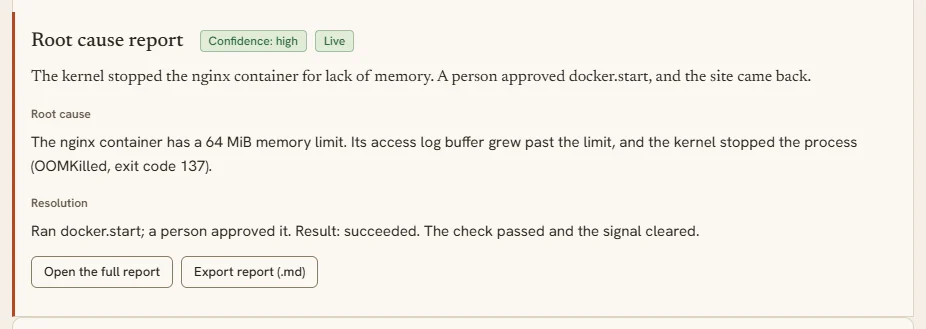
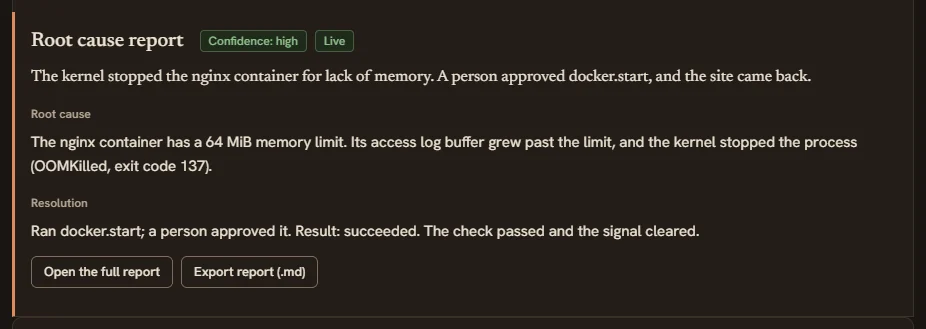
- The Root cause report card at the top of the incident page shows the short version: the summary, the cause and the resolution.
- Select Open the full report, or the Report tab, to read all of it.
- Select Export report (.md) to download the report as a Markdown file.
When an incident opens again and ends again, Kosken writes a new report. The older reports stay below it as Earlier report.
The cause and the confidence
Root cause is one claim about what caused the incident. The badge beside it gives the Confidence:
- high, medium, low
- How sure the model is, after the claim check below.
- undetermined
- The cause is not known, for example because no diagnosis ran.
When a playbook ended the investigation, its verdict shows above the cause, and the cause is the text of the playbook rule with the confidence high. See Playbooks.
The second badge shows the mode of the machine during the incident. In audit mode the report says No action ran. Audit mode never runs changes.
Evidence and citations
Each result of a tool that Kosken ran during the diagnosis gets a number: E1, E2 and so on. The Evidence section at the end of the full report lists each item with:
- its number;
- its kind: Signal, Fact, Metric, Memory or Check output;
- what it read, for example a recipe ID, and the agent that read it;
- an excerpt of the output. Kosken removes passwords, keys and tokens from it.
The cause, Ruled out and Contributing factors cite evidence numbers. Select a number to jump to its item.
The claim check
A model writes the report. Code then checks each claim:
- A claim must cite at least one evidence number.
- Each number must exist in the evidence of this incident.
A claim that fails the check shows Not backed by evidence. When the cause fails the check, its confidence becomes low. Read a claim with this badge as a guess, and check it on the machine before you act on it.
When no model wrote the report, for example because the model call failed, the full report says A model did not write the summary and the cause. The code filled them from the data.
The whitepaper describes this step: a check compares each claim with the cited evidence, and text that repeats the prompt is blocked.
The sections of the full report
- Summary and Impact
- What happened, the machine, the start and the end, the duration, the severity and the number of signals.
- Timeline of key events
- The main entries of the incident. Code writes this list, not the model.
- Root cause, Ruled out, Contributing factors
- The cause, the causes that the evidence excludes, and the facts that made the problem worse.
- Resolution
- What ended the incident: the recipe that ran and who approved it, or why nothing ran.
- What Kosken would do
- On a machine in audit or shadow mode: the recipes that Kosken would run, with the reason, the expected effect, the rollback, the parameters and the answer of each gate. Nothing ran. Open machine settings takes you to the mode of the machine. See Modes.
- What a person must do
- The next steps when Kosken stopped, for example on a failed or mitigated incident.
- Follow-ups
- Up to three next steps that the model suggests.
- Cost
- The tokens and the model calls of the incident, by stage.
- Mode
- The mode of the machine and what it allowed.
When the report is wrong
Say so on the Review tab. A wrong cause stops Kosken from using it again, and your real cause replaces it. See Review an incident.
Something here does not match the app? Tell us