 Kosken
Service levels: time targets for incidents
Set how long an incident of each severity may stay open, get a warning before the target, and read the breaches and the compliance.
On this page
After you read this guide, you can set a time target for each severity, get a warning before an incident passes it, and read how often your workspace meets its targets.
Policies
A policy sets how long an incident of one severity may stay open. Each severity has one active policy. A new workspace starts with three policies:
| Policy | Severity | Target | Warning at |
|---|---|---|---|
| Critical incidents | Critical | 1 hour | 80% |
| Warning incidents | Warning | 4 hours | 80% |
| Info incidents | Info | 24 hours | 80% |
You can change or delete these policies. A workspace that deletes them does not get them back.
Add or change a policy
You need write access to add, change, turn off or delete a policy.
- In the sidebar, select SLA. The page Service levels opens.
- Select Add policy.
- Type a Name.
- Select the Severity.
- In Target (minutes), type the time that an incident may stay open, from 1 minute to 30 days (43200 minutes).
- In Warn at (% of the target), type a number from 1 to 99. The default is 80.
- Keep Active selected.
- Select Save.
Only one policy of a severity can be active. To replace a policy, turn off the old one first, or edit it.
In the Policies table, each row has these actions:
- Edit: change the fields, then select Save.
- Turn off or Turn on.
- Delete: confirm. The breach records stay.
How the time counts
- The time starts when the incident opens and stops when it closes.
- A Failed incident is not closed, so its time keeps counting until a person closes it.
- The target is the one of the severity that the incident has now. When the severity goes up, the target of the new severity applies.
- The Elapsed column of Incidents and the top of the incident page show the target beside the time, or Over target.
Warnings and breaches
When an open incident passes the warning point, for example 80% of a 1-hour target, Kosken records a warning. When it passes the target, Kosken records a breach. For each record, Kosken:
- adds an SLA entry to the timeline of the incident;
- sends the event SLA warning or SLA breached to the channels that receive it. See Channels.
Each incident has at most one warning and one breach.
Read the breaches
The Breaches section lists the newest records. Select All, Warning or Breached to filter. Each row shows the Ref of the incident, the Severity, the Event, the Target, the time Elapsed at that moment, and When it happened.
Open incidents now
Below the compliance, four counts show the incidents that are not closed against their targets:
- Within target: before the warning point.
- At risk: past the warning point, before the target.
- Breached: past the target.
- No active policy: the severity has no active policy. This count shows only when it is not zero.
On the Overview page, the card SLA, last 30 days shows the compliance and the open incidents that are at risk or breached.
Compliance
Compliance is the share of incidents that closed inside the target of their severity. Select a period: 7 days, 30 days or 90 days. Kosken measures the incidents that opened in that period.
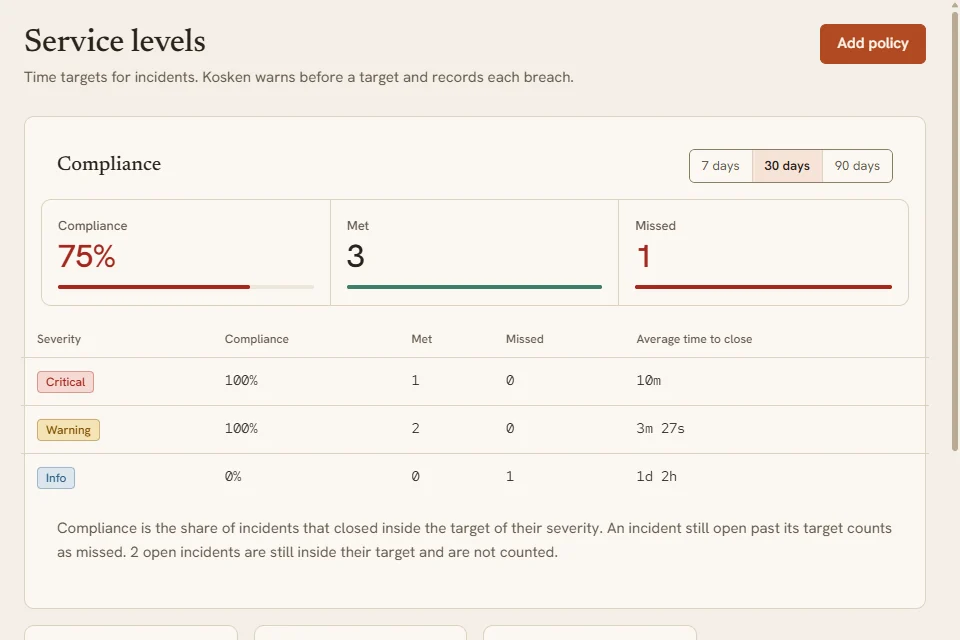
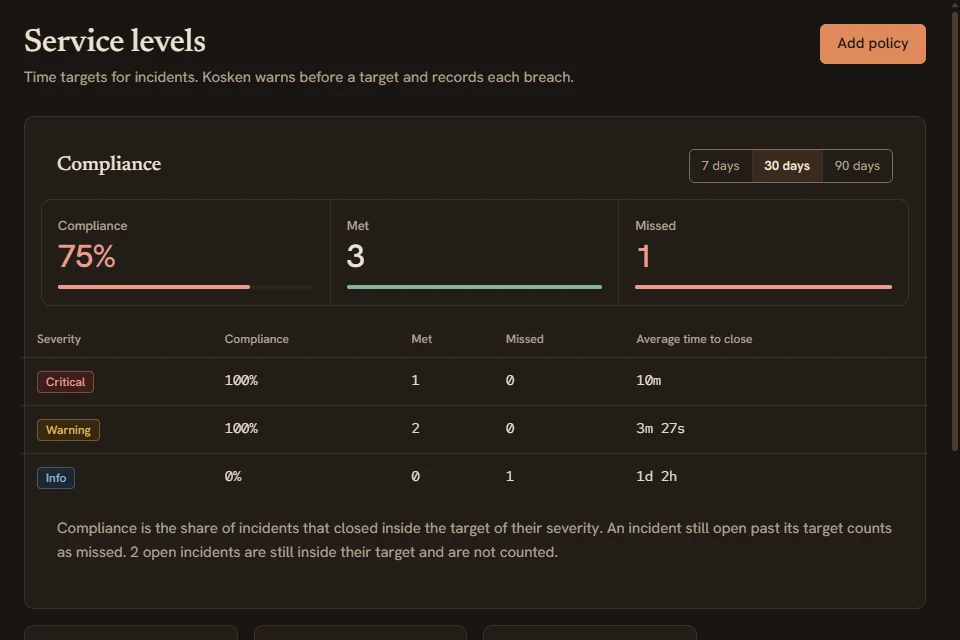
- Met: the incident closed inside its target.
- Missed: the incident closed after its target, or it is still open past its target.
- An open incident that is still inside its target does not count yet.
- An incident whose severity has no active policy does not count.
The table shows the same figures for each severity, with the Average time to close. When nothing can be measured yet, the section says Nothing to measure yet.
Something here does not match the app? Tell us